Building an Offline PKI: Private CA and HTTPS Without the Cloud
A clinic LAN with no internet access still needs encrypted transport. Here is how a private certificate authority provides real TLS trust across every station device without touching a public CA.
The Problem
HTTPS requires a trusted certificate. Trusted certificates normally come from a public certificate authority that validates domain ownership over the internet. A clinic LAN has no public domain. It has no internet connection during a mission. It has devices that will show "Not Secure" warnings unless something provides a trust anchor.
The answer: build a private certificate authority.
What Was Built
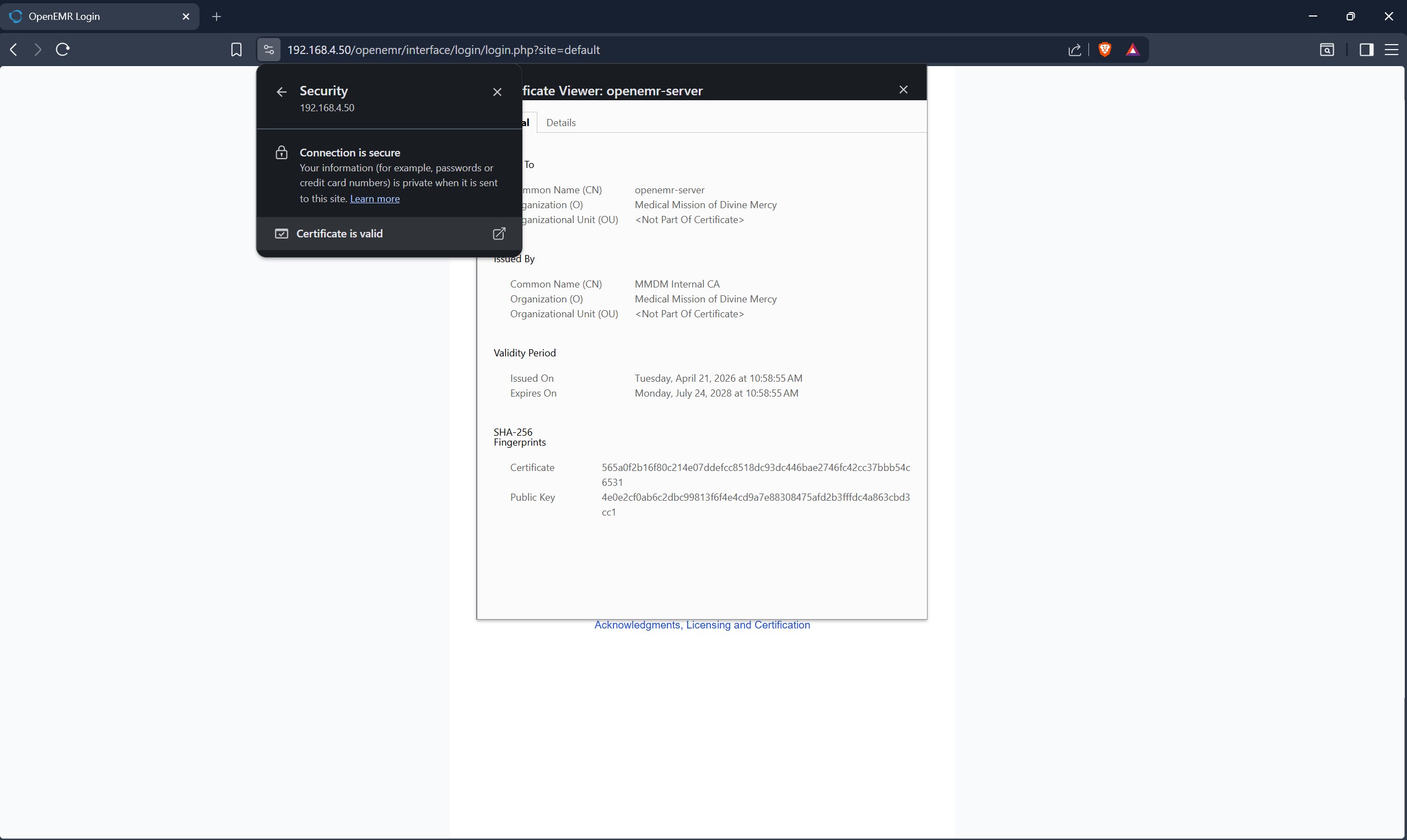
A private CA was created using OpenSSL. The CA produces a root certificate that devices must trust explicitly: a one-time install on each tablet and laptop joining the clinic network. Once installed, the CA can sign server certificates that those devices accept without warnings.
The server certificate includes Subject Alternative Names for both network addresses the server uses: the clinic LAN IP and the local hostname. This covers both the multi-device bridged mode (the main clinic use case) and the solo-laptop NAT mode used during setup and travel.
HTTP is redirected to HTTPS at the web server level. There is no unencrypted path to the application.
The Trust Model
The private CA is offline-only. It signs certificates for this specific system and nothing else. Compromising it would only affect this LAN, and physical access to the server is required to do that.
Every station device receives the CA certificate once, before the mission. After that, the trust chain works automatically. Clinical staff interact with a browser that shows a lock icon. The operational complexity (the certificate install) is pre-mission IT work, not clinic-day friction.
This is not a replacement for a public CA when public access is needed. It is the correct tool for an air-gapped clinical environment where the threat model is network eavesdropping on the LAN, not impersonation of a public domain.
What It Doesn't Cover
The cert currently covers the primary addresses but not the localhost alias used during solo development. That produces a single "Not Secure" warning in that specific context. It is a known gap, low priority to fix before the next deployment.
The certificates are valid for more than two years. Renewal will need to be scheduled before they expire.